
Course Features
Our Microsoft 365 and Office Courses support beginners, intermediate users, advanced users, and employees upgrading to a newer application version.
Learners can work through the Course content in sequence to build their knowledge systematically or search for individual topics when they need help with a specific task. This makes the Courses suitable for:
- Microsoft 365 and Office onboarding
- Software rollouts and migrations
- Role-based end-user training
- Ongoing skills development
- Training for new application features and functionality
Learners can work at their own pace and access the content when and where it is needed.
After launching a Course, learners are taken to an intuitive Overview page. The Overview presents the Course content in a clear structure organized into chapters and lessons. Depending on the Course, chapter tests and a final test may also be included.

Course Overview
The Overview page displays the Course description, estimated learning duration, chapters, lessons, tests, progress information, and available learning aids.
Chapters
Chapters group related lessons into logical subject areas. Courses for Excel, Word, PowerPoint, and Outlook Classic also include chapter tests.
Lessons
Lessons contain concise Learning Nuggets related to a particular application topic or task. Clicking on a lesson displays its associated Learning Nuggets in a single-page view.
Final Test
Most Courses include a final test with questions related to the content covered in the Course. Use-case Courses do not include tests.
Downloadable Course Content
The complete Course content can also be downloaded as a PDF directly from the Overview page, providing learners with a useful reference document.
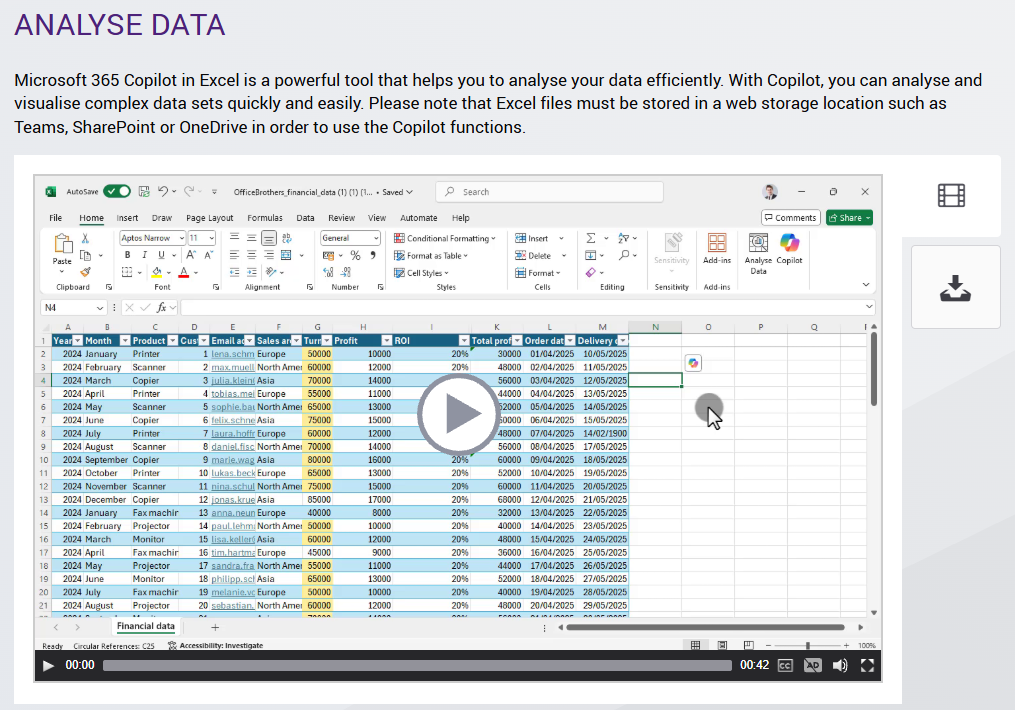
Our Courses combine different content formats to make learning practical, varied, and easy to follow. Depending on the application, topic, and Course, lessons may include the following elements:
Training Videos
- Short videos demonstrating application functions, tasks, and workplace scenarios
- Learning Nugget videos generally between 30 and 120 seconds in length
- Audio narration synchronized with the on-screen content
- Closed captions for learning without audio
- Full playback, pause, and navigation controls
Tips and Downloadable PDFs
- Helpful tips containing additional information and alternative methods
- Downloadable and printable step-by-step instructions
- PDF versions of Learning Nugget content for later reference
Interactive Elements
- Interactive tabs, tiles, and expandable content areas
- Practical scenarios and real-world application examples
- Step-by-step exploration of application functions and processes
- Varied presentation formats to support learner engagement
These formats help learners understand individual functions quickly and apply their new knowledge directly in the workplace.
Exercises and tests reinforce the learning content and allow learners to check their understanding. Progress and completion information can be communicated to a compatible learning platform through the selected SCORM or xAPI package.
Lesson Completion
To complete a lesson, learners must view the required lesson content and successfully complete the exercise at the end of the lesson.
If part of a lesson has not been completed, the lesson remains marked as started. Progress indicators show whether a lesson has not been started, has been started, or has been completed.
Tests
Tests are marked as completed when a score of at least 60% is achieved.
Chapter Completion
Where a chapter test is included, learners must complete all lessons within the chapter and pass the chapter test to complete the chapter.
Course Completion
Course completion depends on the learning platform and the type of SCORM package used.
By default, Courses calculate a mastery score based on the percentage of lessons and tests completed. A Course is marked as complete when a mastery score of 100% is attained.
SCORM completion criteria can be adjusted upon request to meet specific learning platform or reporting requirements.
Built-in learning aids help learners navigate the Course, find relevant content, and monitor their progress.
- Course overview: Displays the Course description, estimated learning duration, chapters, lessons, tests, and progress information.
- Search: Allows learners to search the available Course content using keywords.
- Bookmarks: Provides quick access to lessons and content saved by the learner.
- Learning recommendations: Uses test results to recommend relevant learning topics and provide learners with direct access to areas where additional learning may be helpful.
- Progress indicators: Show whether chapters, lessons, and tests have not been started, have been started, or have been completed.
- Tile and list views: Allow learners to choose how the Course content is displayed.
- Status indicators: Show whether individual Learning Nuggets have been completed or test questions have been answered.
- Context-sensitive help: Explains the navigation elements and functions visible on the current Course screen.
Our Microsoft 365 and Office E-Learning content is available in nine languages to support international training programs, software rollouts, and migrations.
- English
- German
- French
- Spanish
- Italian
- Brazilian Portuguese
- Chinese
- Japanese
- Russian

Language availability can vary by application, Course, and application version. We can provide information about the available languages for your selected Course package.
Learners can also use the built-in translation functionality in Microsoft Edge to translate compatible English learning content into additional languages in real time.
Our Microsoft 365 and Office E-Learning content uses responsive design and can be accessed through commonly used modern browsers on a range of supported devices.
- Desktop computers
- Notebooks
- Tablets
- Smartphones
Learners can access the Course content from different devices without requiring separate Course versions for desktop and mobile use.
Accessibility Features
Courses include accessibility features designed to support learners with disabilities. Depending on the Course and content type, these features can include:
- Closed captions for video content
- Keyboard-accessible navigation
- Clearly structured Course content
- Text-based learning resources and downloadable PDFs
- Responsive layouts for different screen sizes
A detailed description of the accessibility features available in the Courses can be provided upon request.
Microsoft continuously develops and updates Microsoft 365, Windows, and its business applications. Our Microsoft 365 learning content is therefore reviewed and updated regularly to reflect relevant application and functionality changes.
Subscription licenses include content updates for the selected Course package. Depending on the package, updates can include:
- Revised learning content reflecting application changes
- New lessons and Learning Nuggets
- Technical and functional Course improvements
- Updates to videos, screenshots, exercises, tests, and PDFs
- New Courses released into the subscribed Course package

This continuous-update approach helps organizations provide learners with current Microsoft 365 training content without having to purchase each updated Course version separately.
Our Courses can be delivered through your existing learning infrastructure or accessed through our managed online Course Platform.
Learning Management System
Courses can be provided as Standard SCORM, Remote SCORM, or xAPI packages for deployment on a compatible Learning Management System or learning platform.
- Standard SCORM: Complete Course packages hosted and managed on your LMS
- Remote SCORM: Small dispatch packages with externally hosted Course content and automatic Course updates
- xAPI: Course packages for compatible xAPI learning platforms and Learning Record Stores
Intranet or Web Server
Courses can be provided in Web/HTML format for deployment on your corporate intranet or web server when LMS-based enrolment, progress tracking, and reporting are not required.
Managed Course Platform
If your organization does not have an LMS, our managed online Course Platform provides Course access with learner enrolment, progress tracking, and reporting.
Our standard E-Learning content can be adapted to meet your organization’s content, design, functional, and technical requirements.
Branding and Design
- Integration of your company logo
- Adaptation of colors to your corporate identity
- Customization of selected visual and design elements
Content Customization
- Removal of content that is not relevant to your users
- Addition of organization-specific learning content
- Adaptation of examples, terminology, and working scenarios
- Selection of application areas appropriate for particular user groups
Functional and Technical Adjustments
- Adaptation of Course functionality to specific requirements
- Configuration of SCORM completion criteria
- Technical adjustments for your learning environment
We can work with you to create a Microsoft 365 or Office learning package aligned with your applications, user groups, corporate identity, and training objectives.